

Momentum by NowCerts + Lightspeed Voice
Unify your calls, notes, and client activity inside Momentum. Lightspeed Voice keeps your team organized and gives every agent the info they need the second the phone rings.
See How Agencies Use Lightspeed Voice Inside Momentum
Lightspeed Voice is the only fully integrated Momentum VoIP partner built to sync calls, notes, recordings, tasks, and client details directly into your AMS.
Our phone integration handles all logging automatically so your team moves faster with zero manual entry.
This gives you the accuracy, speed, and visibility your Momentum workflows rely on every day.
Simplify Your Workflow With Lightspeed Voice and Momentum
What This Integration Does for You
Instant caller ID with automatic Momentum record opening
Call information logged automatically after every call
Direct link to call recordings stored in the client’s record
Faster workflows with no extra steps or duplicate entries
NOVA AI delivers call summaries and sentiment analysis

Powerful AI Insights Inside Momentum
NOVA handles transcription, summaries, and compliance tools behind the scenes, and Momentum displays the finalized call details where your team needs them.


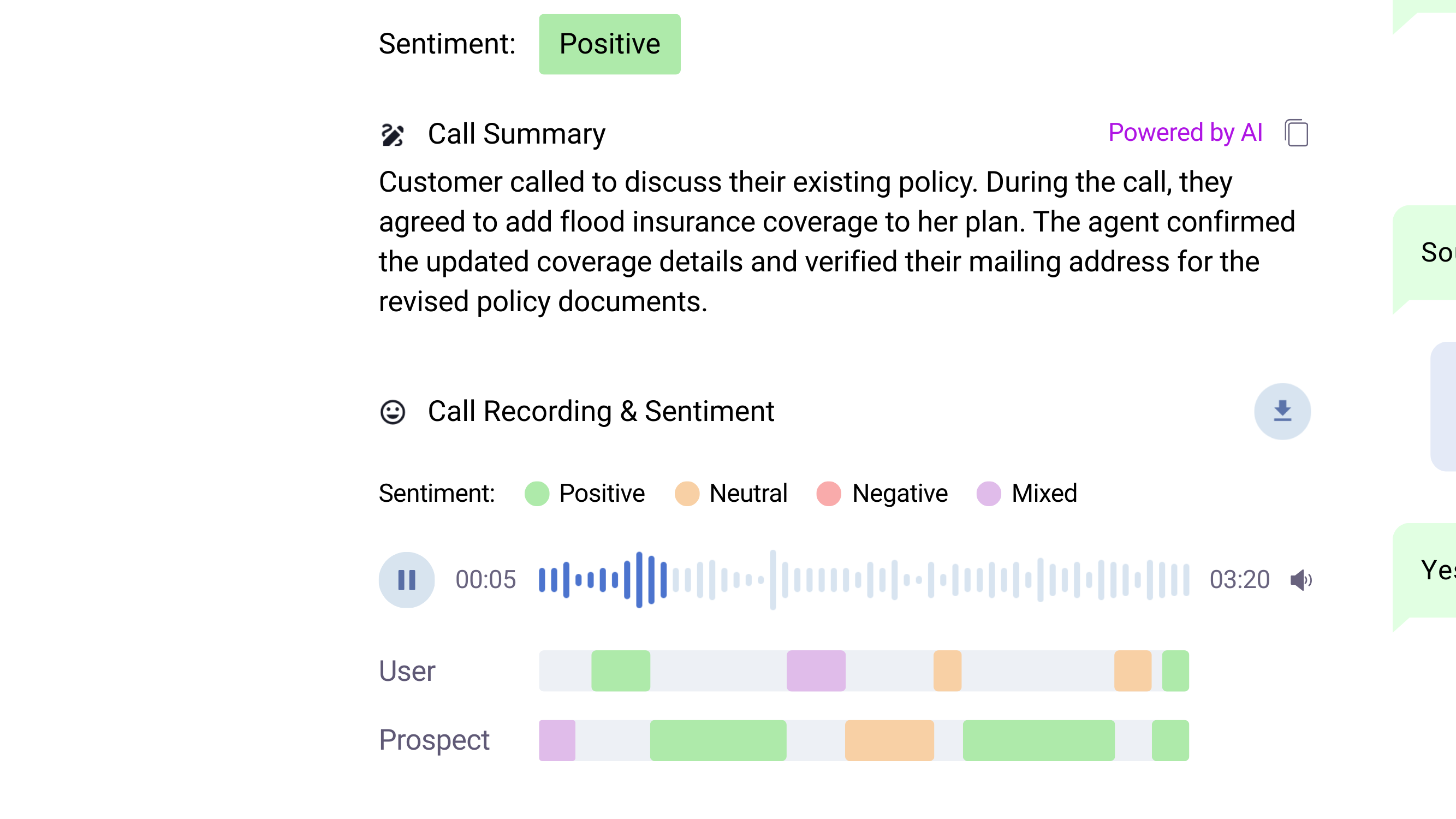
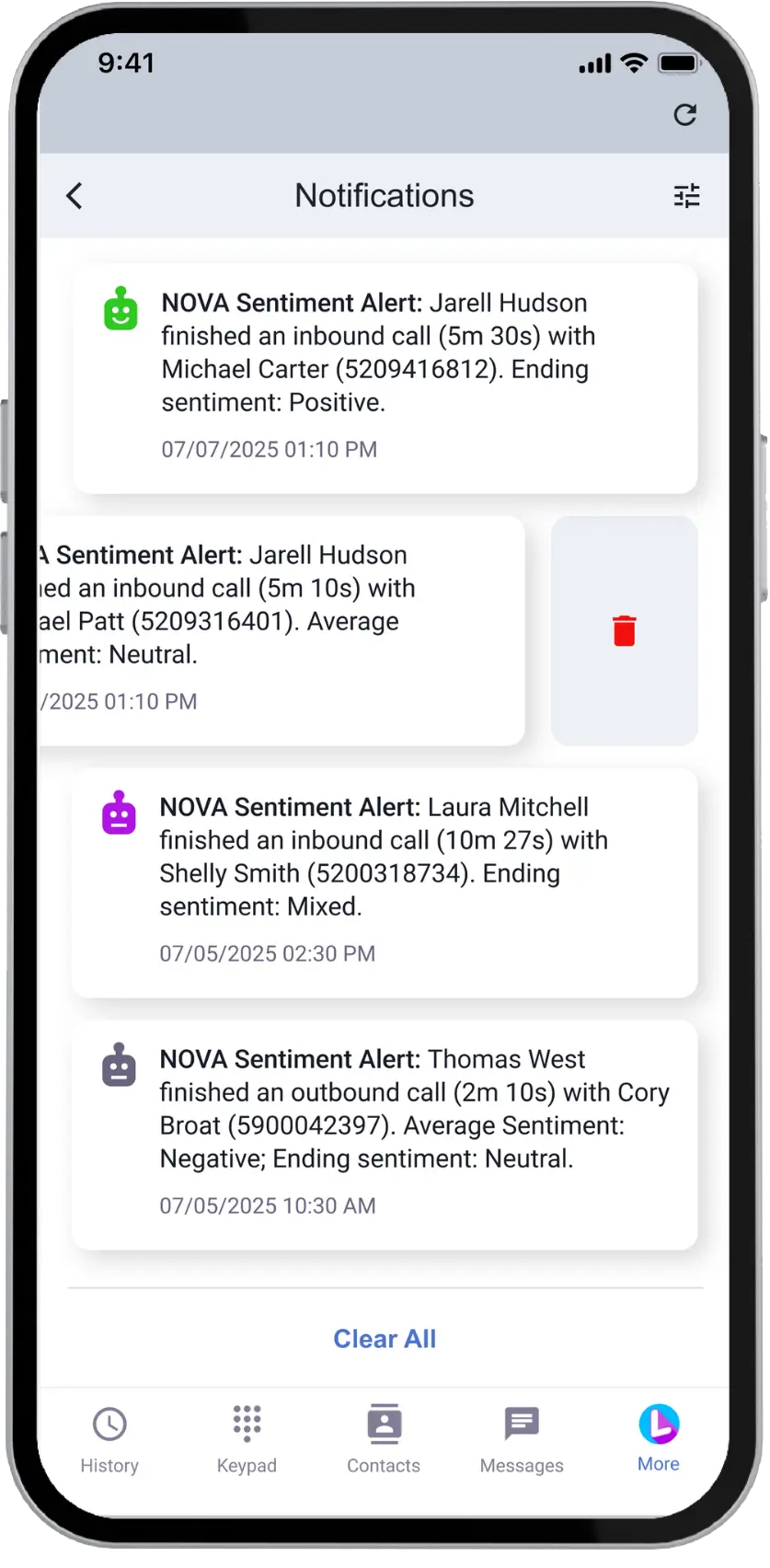
Stay Ahead With Sentiment Insights and Unified Conversation History
Spot risks, capture opportunities, and strengthen relationships with NOVA AI.
Momentum also stores your call details alongside emails and text messages, giving you full client history in one place with no searching.

See How Every Call Really Went
Spot tone and sentiment shifts to understand what clients are feeling.

Know When Clients Need You
Get fast alerts when calls turn negative so your team can act instantly.
Automatically Sync Every Call Into Momentum
NOVA updates Momentum the moment a call ends.
No manual notes. No missed details.
No manual notes. No missed details.
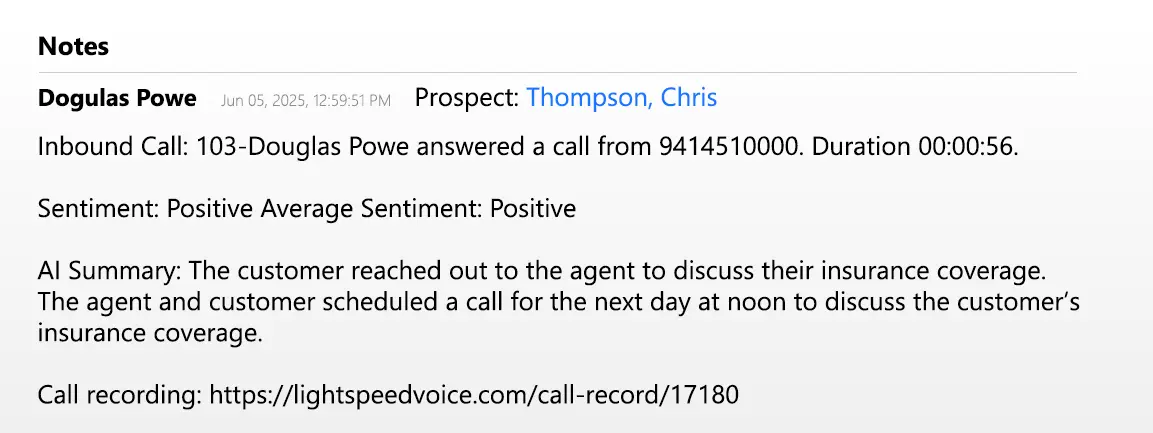
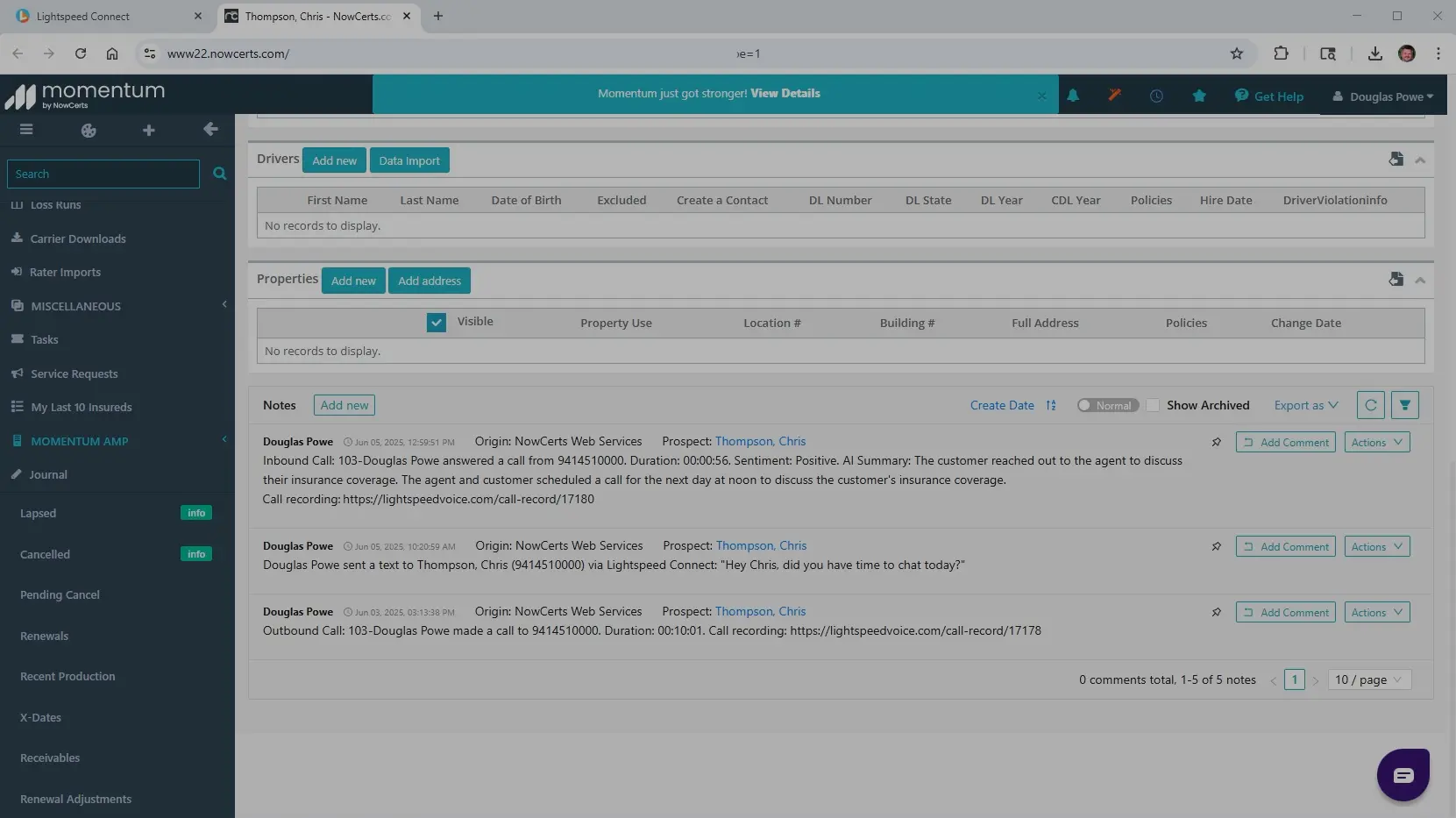

Your team gets:
- Call summaries and sentiment sync into the client record automatically.
- Call recordings attach to the account without any extra steps.
- Notes, follow-ups, and key details organized and ready for review
Why Agencies Choose Lightspeed Voice
Fast, reliable communication and automation built for insurance workflows.

#1 Rated Phone Service
Reliable performance and clear call quality that keeps your agency moving without downtime.

Award-Winning NOVA AI
Real-time transcription, summaries, and sentiment insights that help your team follow up faster and work smarter.

98% Customer Satisfaction
Responsive support from people who know agency operations and fix issues the moment they appear.

4.9 Star Google Rating
Proven trust across thousands of users who rely on Lightspeed every day.
FAQs
Frequently Asked Questions About Momentum + Lightspeed Voice. Can’t find the answer you’re looking for?
How does Lightspeed Voice integrate with Momentum?
Lightspeed Voice automatically logs each completed call into Momentum, including notes, recordings, call summaries, and sentiment insights. After the call ends, the system pushes the finalized interaction details into the correct client record so your team never has to enter data manually.
What Momentum workflows improve with Lightspeed Voice?
Lightspeed Voice cleans up record-keeping by adding call recordings, summaries, follow-up tasks, and activity updates directly inside Momentum. This reduces agent busywork, speeds up account handling, and keeps every client interaction organized and easy to reference.
Does Lightspeed Voice help teams stay compliant inside Momentum?
Yes. NOVA AI provides structured summaries, sentiment analysis, and PII-aware transcription to support consistent note quality across the agency. Every call is logged accurately and attached to the right client, helping your team maintain clean records and stronger compliance standards.
Ready to See It in Action?
We’ll walk you through how the Momentum integration works in your agency.

Oops! Something went wrong while submitting the form.


